Selected projects

Computer vision · Experimental systems

Real-time fly tracking

Exploring single-fly and group guidance through controller experiments and real-time software integration in the Rayshubskiy Lab.

Rowland Institute at Harvard · Rayshubskiy Lab · July–December 2024

Research Assistant

My contribution

I explored how multiple flies could move as one cohesive group, extending the lab’s visual-guidance platform through controller experiments and software integration. My work connected camera acquisition, tracking, and projected feedback, and examined different ways to keep a moving group together.

Acquisition & tracking

Helped integrate image acquisition and tracking in a background worker, alongside the graphical interface.

Visual feedback

Worked on the queues, timers, and coordinate mapping that connect measured positions to projector commands.

Controller experiments

Explored group aggregation, local recovery, and two-fly coupling with a flexible glass fiber, plus a separate single-fly blue-dot experiment.

Four ways I explored guidance.

Choose an approach. In the two group-guidance scenes, compare a geometric centroid with a dynamically selected fly.

Illustrative reconstructions · Not to scaleFly paths draw, then clear · A/B: fixed destinations
Research notes

Conceptual illustrations of my four experimental approaches. The blue-dot experiment used one CsChrimson fly; the other loops illustrate group-control concepts. The square arena and drawing style follow the lab’s published apparatus figure, while the experiments described here are my separate work. Fly counts in the group scenes, sizes, positions, and motion are schematic. The notes below explain each approach.

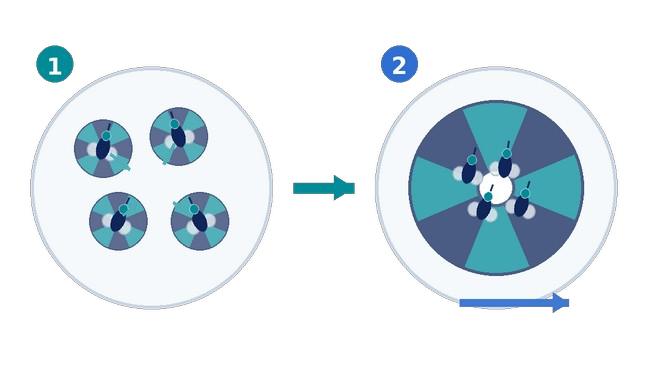
Bring the flies together, then move the group

Local rotating cues first gather the flies. A shared pinwheel then transports the compact group. Two candidate rules place its center at the group's geometric centroid or on the fly nearest that centroid. The latter can switch which fly serves as the center as the group changes. These are alternative rules, not consecutive phases.

What I explored. I tested aggregation followed by transport, and examined how the group could spread apart again during motion. I also considered these two ways to center the shared cue.

Original presentation sketch: Gather & move.
Chenxu Zhang · Heckman presentation, slide 6

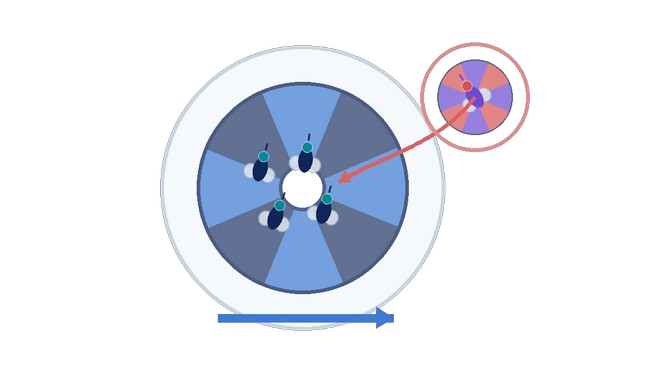
Keep the shared cue, add local recovery

A global pinwheel guides the group, using either of the two candidate centering rules. A smaller cue responds to a fly that deviates. This approach highlights the competing demands of continuing transport and bringing that fly back. The nearest-fly option reselects the central fly as positions change.

What I explored. I explored a shared guidance cue with a local recovery policy. Correcting an individual could disturb the movement of the group; the two centering options illustrate ideas rather than a measured comparison.

Original presentation sketch: Recover stragglers.
Chenxu Zhang · Heckman presentation, slide 6

Test cohesion with two linked flies

A single flexible glass fiber connects two flies and allows the connection to bend as they move. This tests whether maintaining cohesion is itself the bottleneck.

What I explored. I linked two flies using a single flexible glass fiber as a cohesion experiment. The fiber supplies a physical constraint; this does not demonstrate autonomous coordination between flies.

Guide one fly with a moving blue cue

A moving blue-light cue provides a continuously changing target for one CsChrimson fly in a square arena. The scene illustrates this single-fly setup; its path and motion are illustrative.

What I explored. I tested a moving blue-dot cue with a single CsChrimson fly, separately from the group-cohesion strategies. This was an unpublished experiment, distinct from the lab's published pinwheel-guidance work.

See the fly. Guide the next step.

The camera and projector work together.

Illustrative animationFly paths draw, then clear · A/B: fixed destinations
Research notes

Illustrated software workflow based on the recovered lab archive. Acquisition and tracking share a background worker. Motion is explanatory; it is not recorded footage or a latency benchmark.

Acquire a new observation

The camera provides an image and an elapsed timestamp. The same background routine passes that image to the tracker while the interface can handle other work.

My contribution. I helped integrate acquisition and tracking in the background worker.

Extract positions from the image

Background subtraction reveals candidate objects. Fly-sized contours yield centers, which feed the position and heading histories used by the controller.

My contribution. I connected tracking output to the feedback workflow and worked on trajectory and timing diagnostics.

Convert the tracked state into a cue

The controller uses positions and its target to choose a visual instruction. Calibration maps camera coordinates to projector coordinates before command arguments are queued.

My contribution. I explored controller variants and helped connect their output to calibrated stimulus handling.

Send the cue, then observe again

An interface timer processes the command queue for projection. A separate preview queue and timer display camera images, with a limit on pending preview frames.

My contribution. I helped coordinate preview and stimulus handling through queues and timers, while investigating their different timing effects.

Explore the technical workflow in detail

Inside the workflow

Follow one frame through the system

The experiment is a feedback loop: observe the fly, estimate its position, choose a cue, and observe its next movement. Select a stage to see the software’s role.

Stage 1 of 4

Bring a new observation into the processing loop

The acquisition routine obtains an image and passes it, with an elapsed timestamp, to the tracker. A background reference must be available before tracking starts.

Input
An image from the camera
Output
An image and its update timestamp

My work hereI helped integrate acquisition and tracking in the background worker so this processing path could operate alongside the interface.

Stage 2 of 4

Turn image pixels into usable positions

The tracker subtracts the saved background, identifies fly-sized contours, and extracts their centers. Position and heading histories then provide the state used by the controller.

Input
The image and background reference
Output
Positions and controller state

My work hereMy work connected tracking results to the feedback workflow and included coordinate-calibration and trajectory diagnostics.

Stage 3 of 4

Choose the next visual instruction

The controller turns the tracked state into visual instructions. Calibration maps camera positions into projector coordinates before commands are queued. The multi-fly prototype can also guide flies outside the group search region back toward the group center.

Input
Positions, heading history, and a target
Output
Stimulus commands in the command queue

My work hereI explored multi-fly controller variants as prototypes, alongside the single-fly feedback workflow.

Stage 4 of 4

Deliver the cue and close the loop

A timer on the interface side processes projector commands. The projected cue influences the next observed movement, which returns to the camera and starts another update.

Input
Queued stimulus commands
Output
A projected cue, followed by a new observation

My work hereI helped coordinate stimulus handling and display through queues and timers, paying attention to the different timing measurements along this path.

Alongside the feedback path

Tracking workerPreview queueDisplay timer
The preview accepts new images only while fewer than two are waiting. Stimulus commands travel through a separate queue.

An explanatory map of the recovered software. Acquisition and tracking share one background worker; the stages below are logical steps, not four separate threads.

A useful position has to reach the experiment

In this system, detecting a fly is one step in a larger task. Its position must become a visual cue in the right place, while the researcher can still inspect what the software is doing. The engineering work connects acquisition, image analysis, controller state, calibration, and display.

In the lab’s published experiments, rotating pinwheel patterns guide walking through the fly’s response to visual motion. This gives the software a way to influence movement using light, as explained in the lab’s illustrated Harvard research overview.

I helped integrate this processing path within the lab’s existing software. Acquisition and tracking run together in a background worker. Separate queues and interface timers handle preview images and stimulus commands. The preview limits how many frames are waiting; that limit does not apply to every queue in the system.

Connecting camera and projector coordinates

The recovered image-processing path subtracts a saved background, finds contours that match the expected fly size, and derives their centers. Those centers are measured in camera coordinates. The stimulus system uses a calibration lookup to relate camera positions to projector positions before generating cue commands.

The original grid capture below shows the calibration problem concretely: known projected points appear in the camera image, and their correspondence is used to align the two coordinate systems. This is part of the lab infrastructure my integration work depended on.
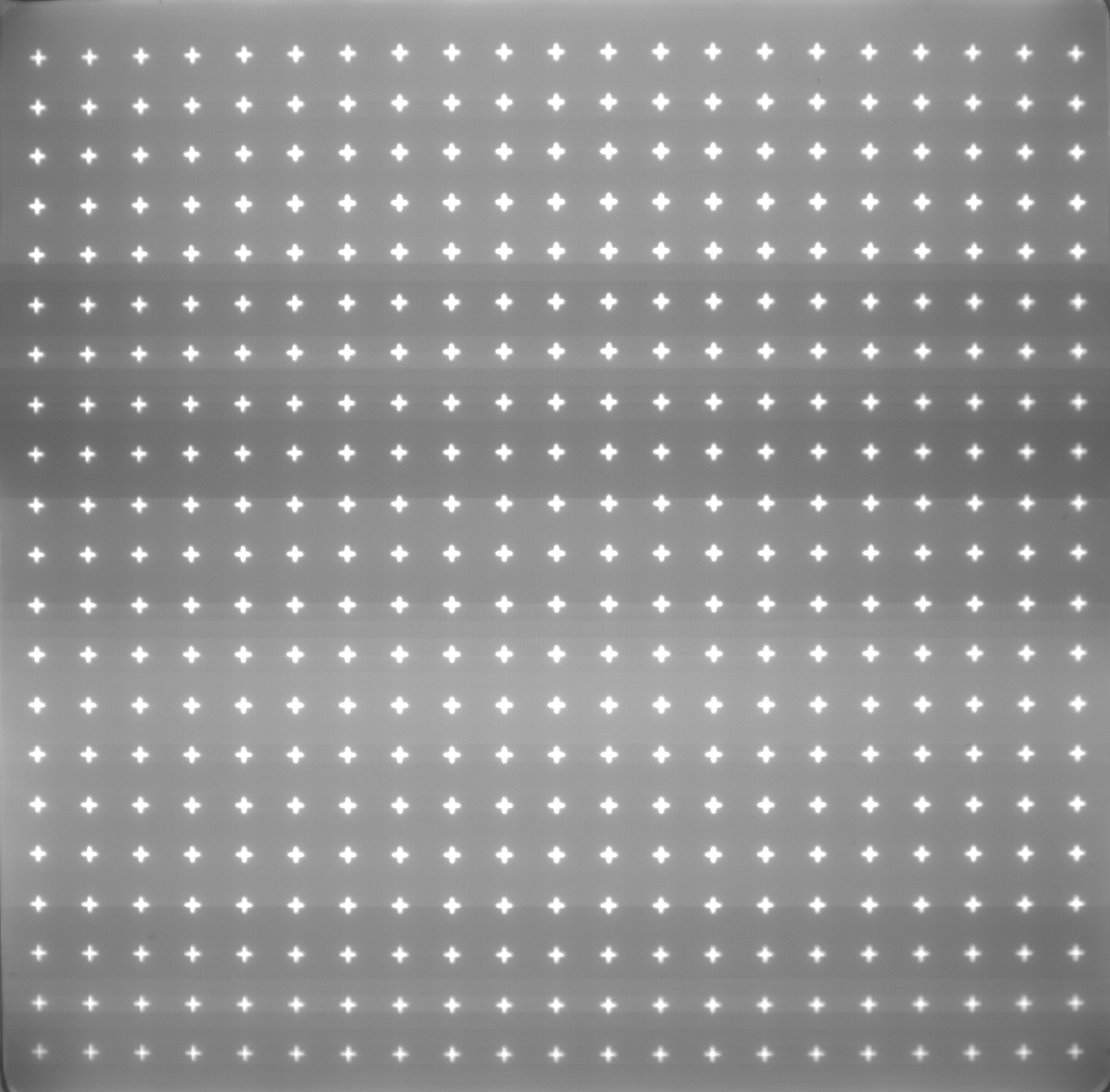
Grayscale camera capture of a projected calibration grid, with rows and columns of bright crosses and visible illumination variation.
An original calibration-grid capture.From the Rayshubskiy Lab software archive. A format conversion of the stored TIFF, with pixels preserved. This is a calibration input, not a fly trajectory or a performance result.

A moving blue cue for one fly

My moving-blue-dot experiment used one CsChrimson fly in a square arena. The “Follow a blue dot” loop above illustrates that single-fly setup; its path, motion, and playback speed are illustrative. This was an unpublished experiment, separate from the lab’s published pinwheel-guidance study.

Exploring how a group could share a cue

My Heckman presentation also describes group-control experiments with aggregation and transport, local recovery, and mechanical coupling. That broader group work included 2-, 5-, and 10-fly configurations; the mechanical-coupling experiment specifically used two flies connected by a single flexible glass fiber. The other three loops illustrate these approaches, with further detail in the research notes.

For the main pinwheel in the gathering and recovery approaches, I considered two alternative centering rules. One uses the group’s geometric centroid, calculated from the fly positions. The other places the pinwheel on the actual fly nearest that centroid and reselects that fly as the group changes. Both centers can move; the second can also switch which fly serves as the center. The figure lets you compare these two ideas within either group approach. They are alternative rules, not successive phases or a measured performance comparison.

The recovered software archive gives a closer view of one controller variant. It finds flies within a search region around the previous center, updates the group center, and positions a fixed-size main pinwheel there. Flies outside the search region receive secondary cues toward the updated center.

Within the group search region

Use the included flies' positions to update the group center. Heading histories inform the next turning command toward the target.

Outside the group search region

Issue a secondary cue toward the group center, then reconsider membership on the next update.

That particular code snapshot is configured for a two-fly simulation. It explains one implementation path within the broader experimental work described in my presentation; it does not establish a tested comparison of the two centering ideas. The presentation’s qualitative observations, historical sketches, and recovered code have different scopes. The animations explain the approaches and centering ideas rather than reproduce recorded experimental trajectories.

Separating the different kinds of delay

A central challenge in my work was distinguishing image-processing time from acquisition and display effects. The software exposes several different timing quantities. They answer different questions, so a slow update alone does not identify the cause.

Update interval
How much time passed between entries into the tracking update?
Extraction time
How long did the position-extraction call take within that update?
Display cadence
How frequently did the interface display a queued observation?

My Python and MATLAB diagnostic work focused on inspecting the relationship between observations, trajectories, and timing. These stage measurements help frame the investigation; none alone measures the complete camera-to-projector delay.

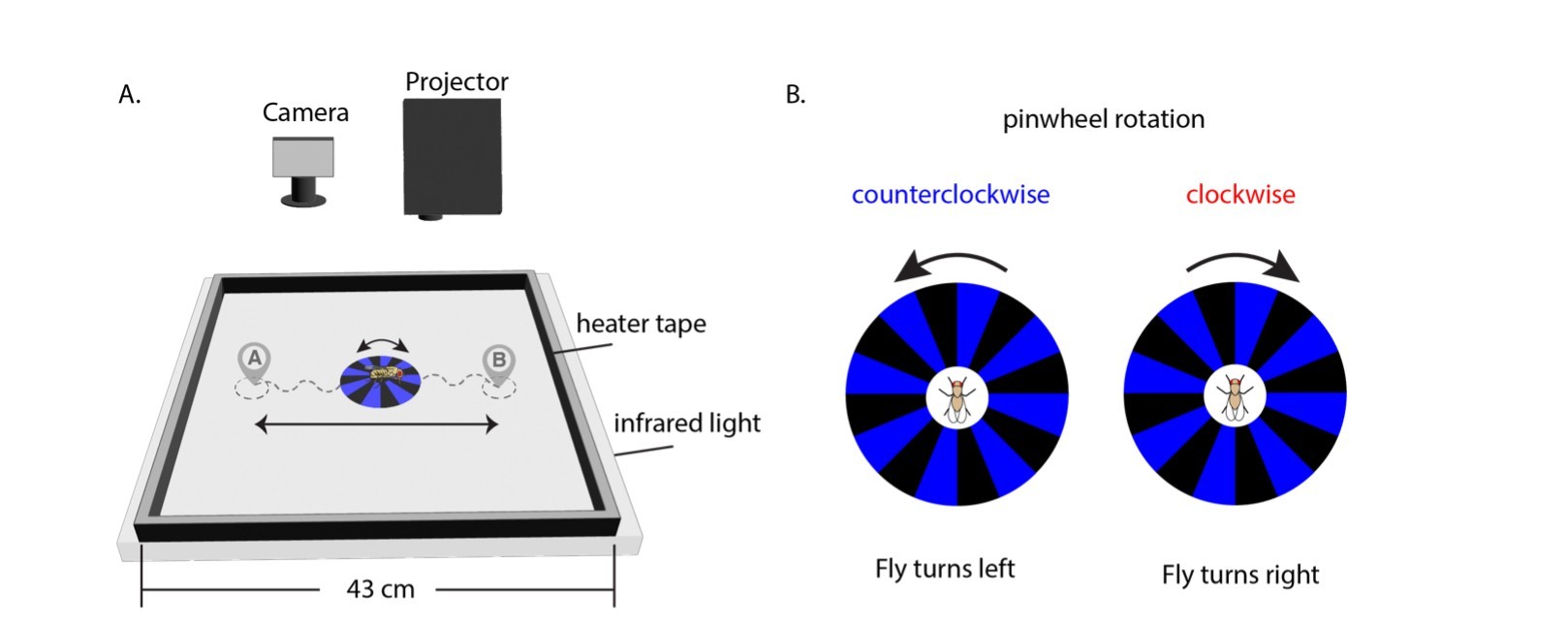
The published apparatus figure below provides context for the camera, projector, arena, and visual cues. My contribution combined experimental software integration with experiments in single-fly cueing and cohesive moving-group control in that research setting.

Published apparatus: an overhead camera and projector above an arena, alongside clockwise and counterclockwise pinwheel cues that guide a fly's turning.
The lab’s published visual-guidance platform.Iwasaki, Neuhauser, Stokes & Rayshubskiy, PNAS (2025), Fig. 1A–B. Cropped from the presentation. Lab research context, not a screenshot of my implementation.Source paper (opens in a new tab) · CC BY 4.0 (opens in a new tab)View full-size figure (opens in a new tab)

Let’s connect.

Research figure